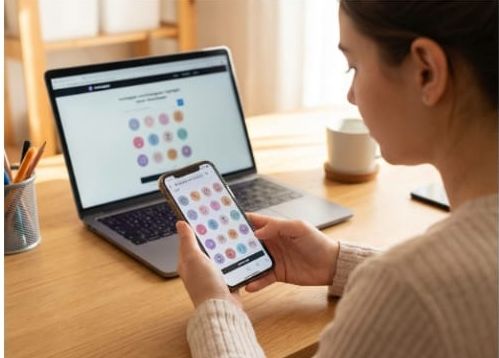
Elevate your branding with our expert guide on using an Instagram Highlight Cover Downloader. A professional profile aesthetic relies on cohesive, high-quality icons, but Instagram’s restrictions make saving them difficult. This article explores four proven methods to bypass these limits: using fast online tools like Mutsapper for secure HD downloads without a login, mastering the browser Inspect Element technique for original resolution, utilizing dedicated mobile apps for on-the-go saving, and quick screenshot tips. Whether you're a creator seeking inspiration or a brand manager organizing assets, learn how to safely extract Instagram highlight icons and story templates to build a visually stunning and polished profile today.
Have you ever zoomed in on a beautiful Instagram profile and suddenly found yourself annoyed because you can’t save the one element that completes the whole aesthetic, the highlight cover?
That tiny, perfectly designed circle holds the secret to a clean, professional brand look… but Instagram keeps it locked away on purpose. If you’re ready to finally break free from that frustration and get access to clean, high-quality versions of any highlight cover you want, the download Instagram Highlight Covers guide is your key.
Discover safe, smart methods from screenshot tricks to the best Instagram highlight cover downloaders for your goal!
How Can You Download Instagram Highlight Cover?
Instagram's lack of a built-in download feature means we must rely on methods that reverse-engineer or exploit the public accessibility of web elements.
These workarounds effectively extract the image's source URL, which is the key to downloading the image at its original resolution. The best approach depends heavily on your technical comfort level and whether the target account is public or private.
1. Using Dedicated Online Downloader Tools
Online tools act as intermediaries, streamlining the process of downloading Instagram highlight cover acquisition. It’s important to search for a current and reputable Instagram highlight covers downloader website, such as Mutsapper.
For security reasons, always prioritize tools that process the request using only the public username and explicitly state they do not require your Instagram password or login credentials.
How to Download Instagram Highlight Cover by Mutsapper?
Open the Instagram and go to the account whose Highlight cover you wish to download.
Copy the exact username or the full profile URL of the account and go to the website.
Open the tools section, enter the Instagram highlight cover downloader, and paste the acquired username or URL into the input field.
Click the 'Search' button to initiate the automated process.
The tool will scan the profile and display a gallery of all publicly available Highlights. Click on the specific Highlight to view its cover image in isolation.
The dedicated image will appear. On a desktop browser, right-click the image and choose "Save Image As..." On a mobile device, a long-press usually triggers a contextual menu with a "Download" or "Save Photo" option.
Features & Advantages of Mutsapper Instagram Highlight Cover Downloader
Fast: Extraction is completed within seconds.
User-Friendly: No need for complex coding or developer tools.
Cross-Platform: Works on iOS, Android, and Desktop.
Safe: No account login is required, protecting your privacy.
2. The Browser Inspect Element Technique
The Inspect Element method to download Instagram highlight covers is the gold standard in the absolute highest quality version of the image, directly from Instagram's server resources.
It is the ultimate method to securely save Instagram highlight cover. The process includes:
First, log in to Instagram and open the profile that contains the Highlight you want.
Right-click directly on the Highlight cover you want to download and choose “Inspect” or “Inspect Element.” (You can also open the developer tools by pressing F12 on Windows or Cmd + Option + I on macOS.)
When the Developer Tools panel opens, make sure you are in the Elements tab. Then select the “Select Element” tool (the icon that looks like a box with an arrow) and click on the Highlight cover again.
The corresponding code will now be highlighted. Look for an tag and check the src attribute to find the real image URL. If the image is loaded through CSS instead, check the right-hand side under the Styles or Computed section and look for the background-image property. The URL will be inside url().
Next, switch to the Network tab. Click the Img filter at the top to show only image files. Reload the page by pressing F5. Look for a small, circular image request; this is usually the Highlight cover (often with words like “cover” or “display” in the name). Click on it and view the full image URL under the Headers tab.
Copy the URL, open it in a new browser tab, right-click the image, and select “Save Image As…” to download the highest-quality version.
3. Utilizing Dedicated Mobile Applications
For users who are strictly confined to mobile devices and prefer a dedicated, optimized app-based experience over web tools, specialized Instagram highlight cover downloader applications offer a highly automated and intuitive solution to download Instagram highlight covers.
General Use Steps (Vary by App)
Installation: Search the official App Store or Google Play for a highly-rated app such as "StorySaver", focusing on those with excellent reviews and a clear privacy policy.
Sharing/Pasting: In most cases, you simply copy the profile link from the Instagram app and paste it into the downloader application's input field.
Extraction: The application analyzes the profile using internal protocols and securely presents the covers in an easy-to-browse gallery format.
Local Storage: Select the cover image you want and tap 'Save.' The image is saved instantly and conveniently to your phone's photo gallery or a dedicated app folder, ready for immediate use.
4. The Quick Fallback, Screenshot & Crop
This is particularly useful for those asking how to save Instagram highlight cover without posting it first, as the method is entirely non-invasive and instant. Step-by-step guide:
Open the Profile: Access the target profile directly within the Instagram mobile application.
Maximize View: To achieve the best possible clarity from this method, try to position the Highlight on your screen to fill the maximum possible area before capturing.
Capture the Screen: Execute the standard screenshot command for your mobile device.
Refine the Image: Immediately open the screenshot in your phone's default photo editor. Crop the image precisely around the circular Highlight cover to isolate it.
Summation
By utilizing these detailed, comprehensive methods, you gain the ability to overcome Instagram's inherent content restrictions. Whether you prioritize the non-technical convenience and speed of online Instagram highlight cover downloader tools, you are now equipped with the necessary knowledge to successfully download Instagram highlight cover images.
Media Contact
Company Name: Mutsapper
Email: Send Email
City: Beijing
Country: China
Website: https://mutsapper.com/